
TradPlus Mediation Support
Integrate SDK and Mediation Adapter
To integrate the CartyTradPlusAdapter through CocoaPods:
1.Add the following line to your Podfile:
http
pod 'CartyTradPlusAdapter'2.Run the following on the command line:
http
pod install --repo-updateConfigure your Mediation Settings
Click on the "Adv. Settings"-"Custom Network" link on the side bar menu and Select "Add network"
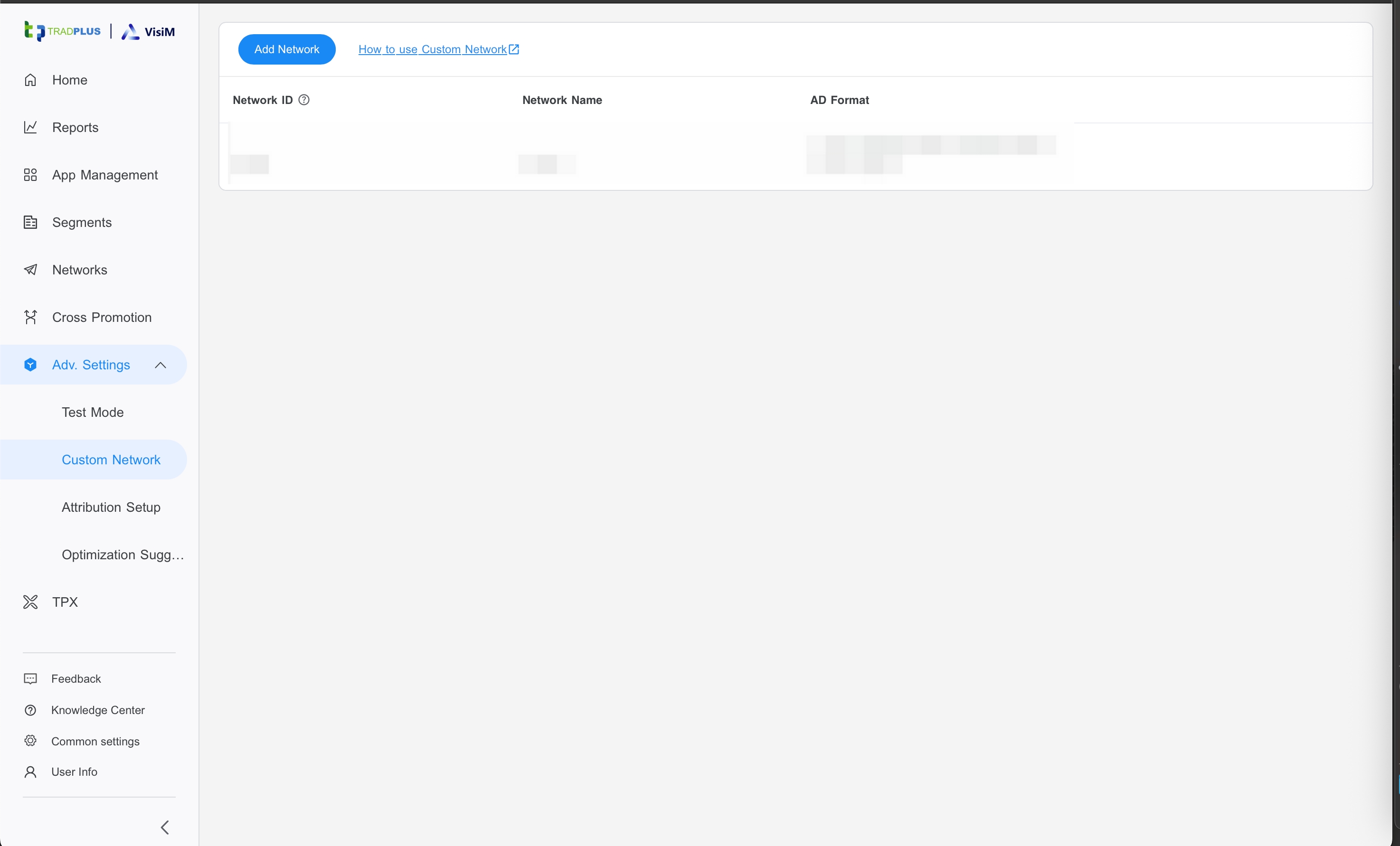
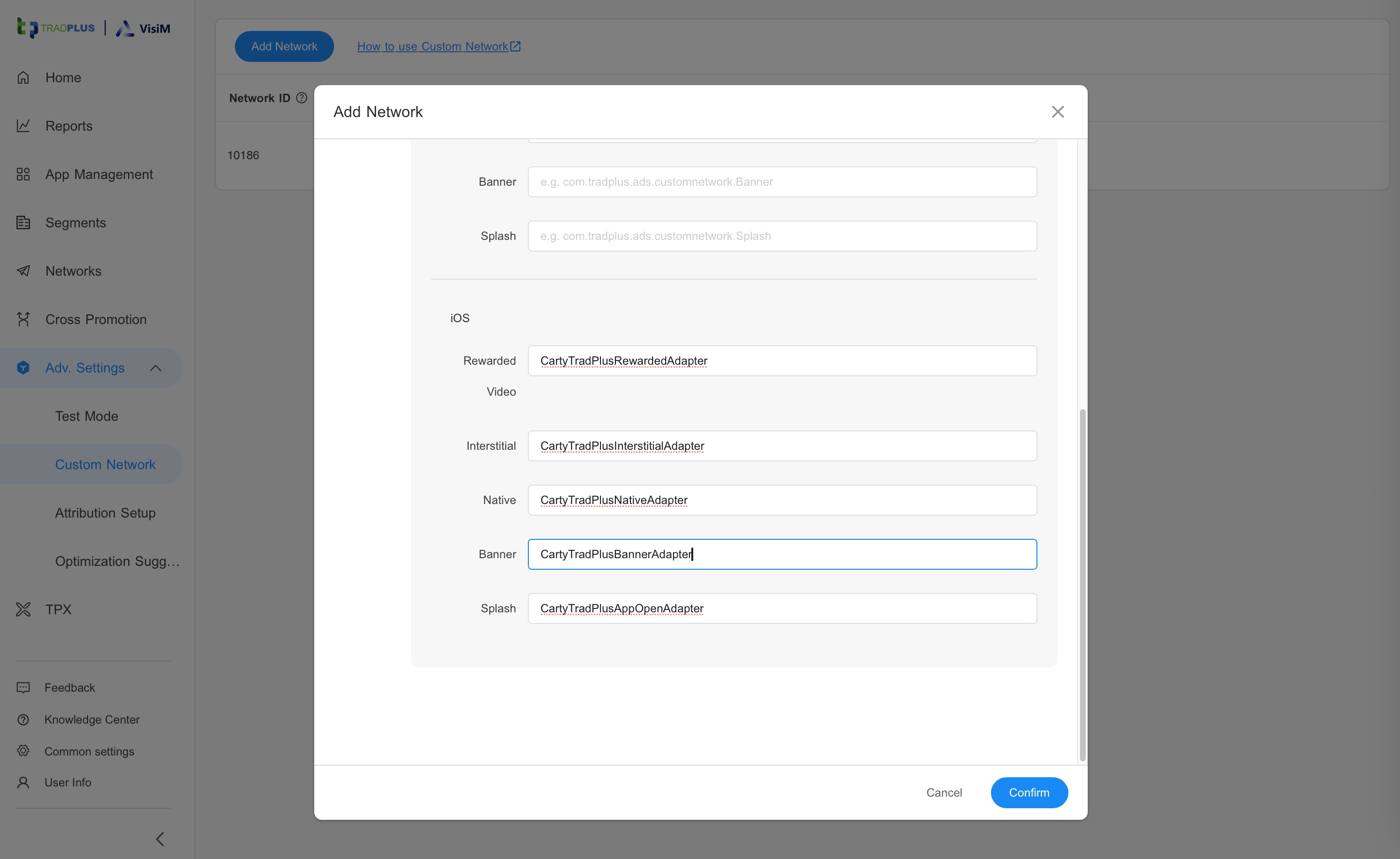
Then Fill the iOS Adapte's class names And Confirm
| Ad Type | Class Name |
|---|---|
| Banner | CartyTradPlusBannerAdapter |
| Native | CartyTradPlusNativeAdapter |
| Interstitial | CartyTradPlusInterstitialAdapter |
| Rewarded Video | CartyTradPlusRewardedAdapter |
| Splash | CartyTradPlusAppOpenAdapter |
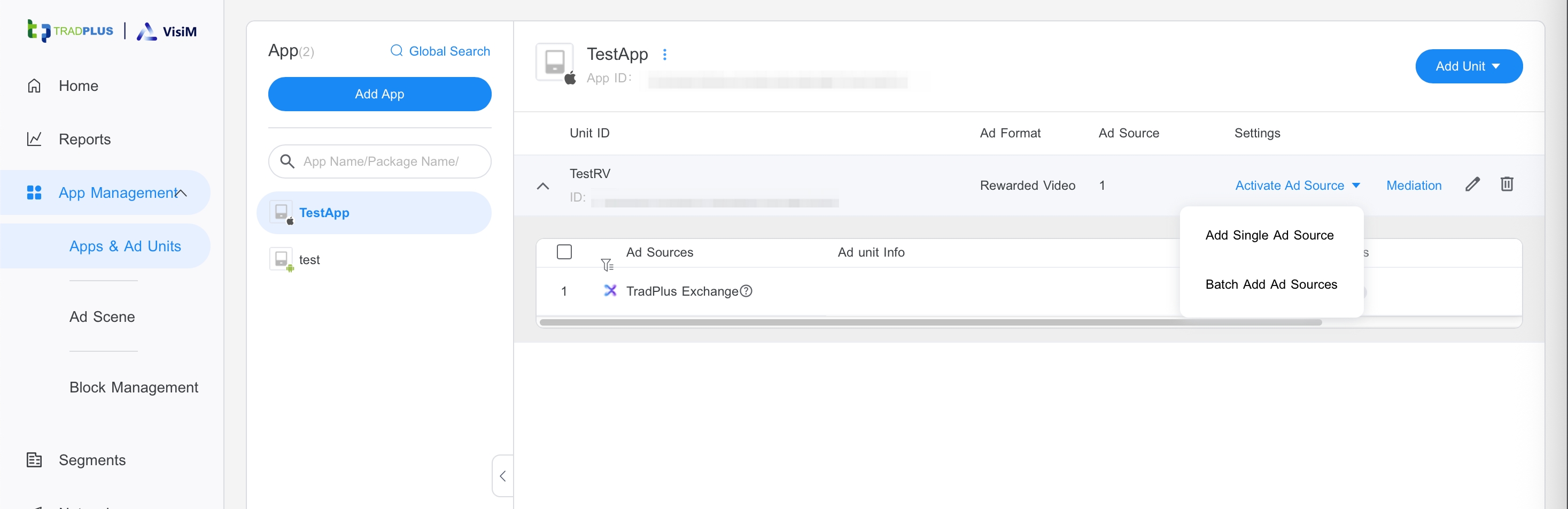
In the app's ad placement,, select "Add a single ad source".
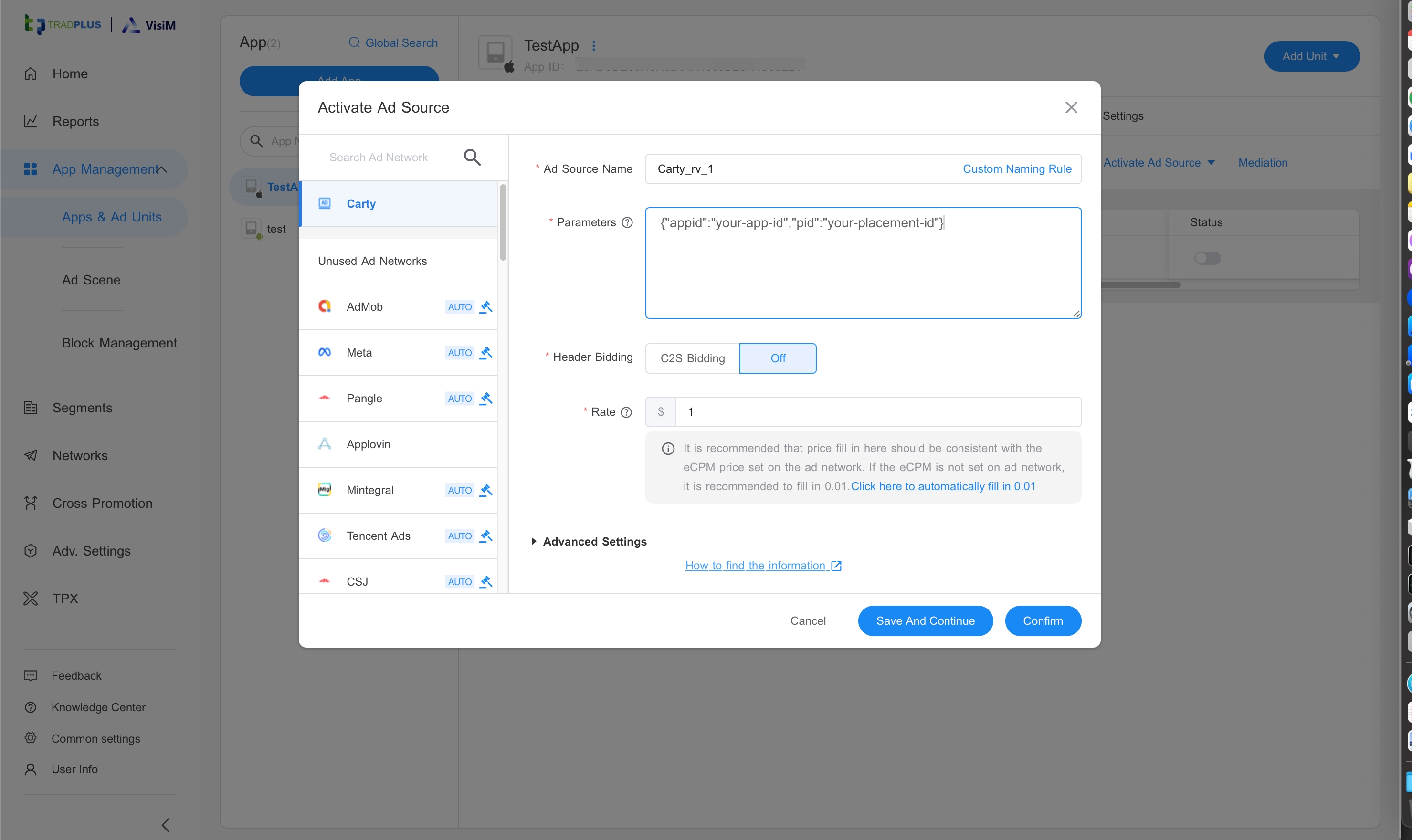
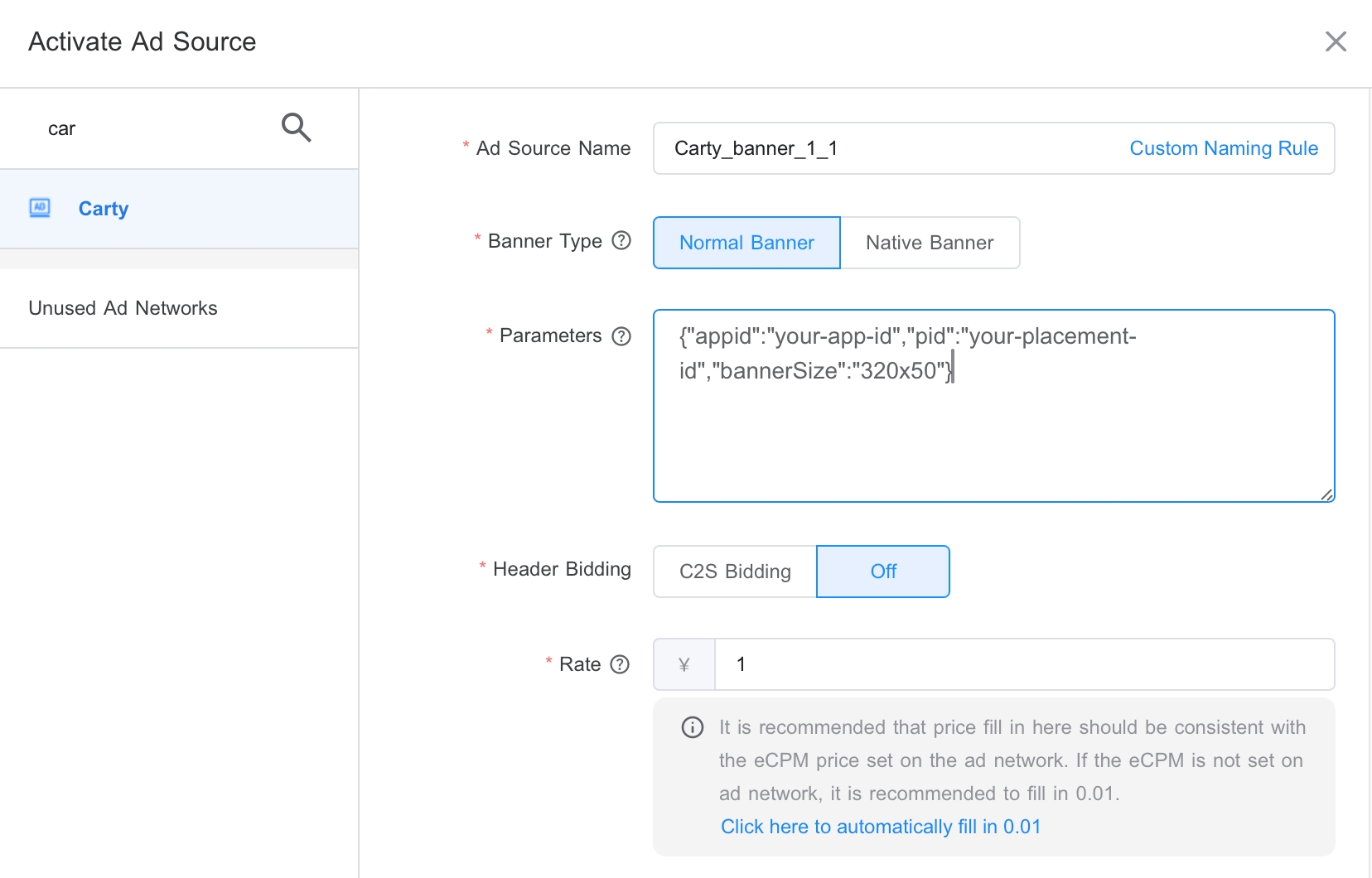
Select "Carty" and Fill "Parameters" Then Confirm.
{"appid":"your-app-id","pid":"your-placement-id"}
If you need to set the banner size:
{"appid":"your-app-id","pid":"your-placement-id","bannerSize":"320x50"}
- Supported bannerSize values: "320x50" or "320x100" or "300x250"
CustomExtras
Ad network extras sent to CartySDK
objc
NSMutableDictionary *localParams = [[NSMutableDictionary alloc] init];

//set bannerSize (only Banner)
//Supported bannerSize values: "320x50" or "320x100" or "300x250"
localParams[@"Carty_BannerSize"] = @"320x50";

//set mute
localParams[@"Carty_isMute"] = @(YES);

//set localParams
ad.localParams = localParams;

//then load ad