
Enable test ads
Demo ad units
The quickest way to enable testing is to use Carty-provided demo ad placements.
Demo ad placements will not be linked to your account and will not generate any revenue.
Key Point:Make sure you replace these IDs with your own ad placement ID before publishing your app.
| Ad format | Demo ad placement ID |
|---|---|
| Rewarded | 281217152650 |
| Interstitial | 281217152620 |
| AppOpen | 281217152630 |
| Banner | 281217152640 |
| Native | 281217152610/281217152611(template) |
Enable test devices (Test mode)
When you configure your device as a test device, the Carty will send production ads in test mode to your device, allowing you to test all ad placements under your account.
Add a test device
- Sign in to your Carty account.
- Select the App "Test Management".
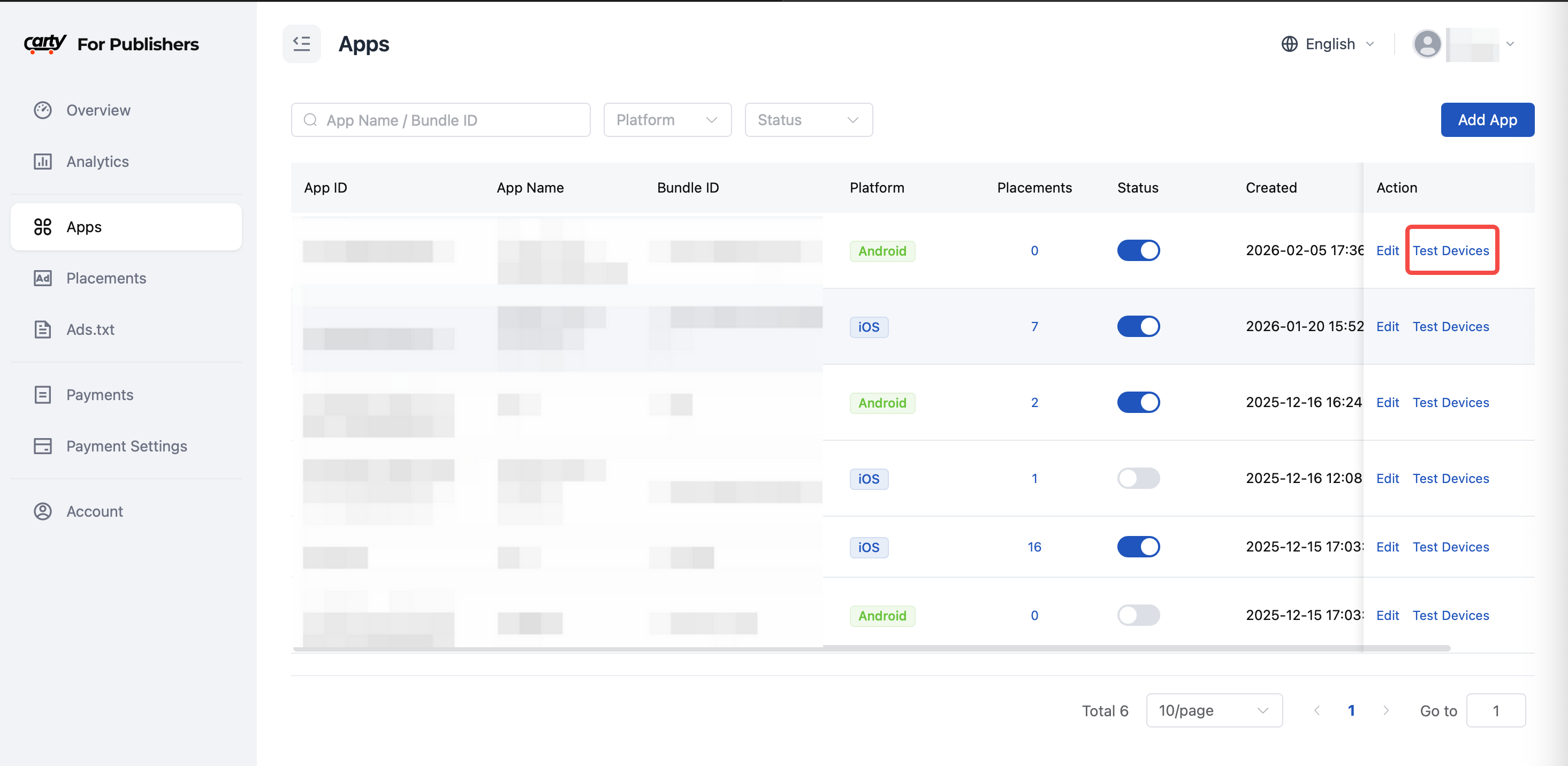
- Select "AddRow" then input the GAID and device information.
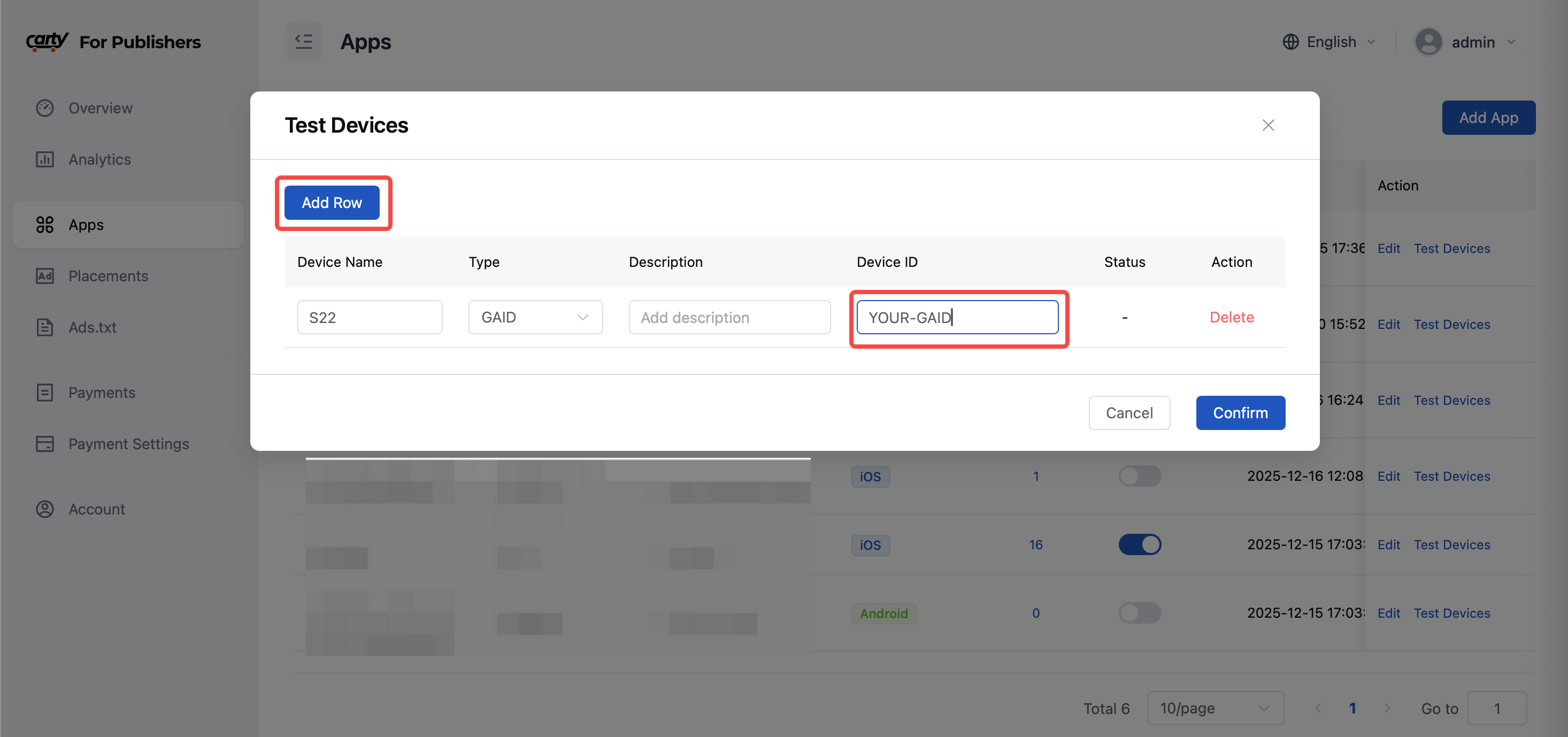
Note:
After adding or modifying the test mode, it will take effect after 5 minutes. After testing, please close the device's test mode.
Error code
| Error code | Description |
|---|---|
| 10000 | Init context parameter is null |
| 10001 | Init CTAdConfig parameter is null or appid is empty |
| 20000 | Request CTAdRequest parameter is null |
| 20001 | Request placementId is empty |
| 20002 | No ads are eligible for your device (No fill) |
| 20003 | Unable to connect to the network |
| 20004 | Request or resource download timed out |
| 20005 | Resource download failed |
| 20006 | Ad expired |
| 20007 | Ad parse error |
| 30001 | Ad show failed |