
Integration guide
This guide is intended for publishers who wish to monetize their iOS application using Carty SDK. The first crucial step in leveraging ads and generating revenue through your app is integrating the Carty SDK
Prerequisites
Xcode 26 or higher
Target iOS 13.0 or higher
Import SDK
Swift Package Manager
To add a package dependency to your project, follow these steps:
1.In Xcode, install the Carty SDK Swift Package by navigating to File > Add Package Dependencies....
2.In the prompt that appears, search for the Carty SDK Swift Package GitHub repository:
https://github.com/cartysdk/Carty-swift-package-manager.git3.Select the version of the Carty SDK Swift Package you want to use. For new projects, we recommend using the Up to Next Major Version.
4.Enable the -ObjC flag in Xcode: click on your project settings, go to Build Settings, search for Other Linker Flags and add -ObjC.
CocoaPods
To integrate the Carty SDK through CocoaPods:
1.Add the following line to your Podfile:
pod 'CartySDK'2.Run the following on the command line:
pod install --repo-updateInitialize the SDK
After you have successfully installed the SDK, you must initialize it.
Call the CartyADSDK start API using the appId
#import <CartySDK/CartySDK.h>

// Initialize the SDK
[[CartyADSDK sharedInstance] start:@"<your_app_id>" completion:^{
}];import CartySDK
// Initialize the SDK
CartyADSDK.sharedInstance().start("<your_app_id>") {
}Set UserID
Set the UserID before the init request, to make sure you avoid any data loses, related to the user.
[CartyADSDK sharedInstance].userid = @"<your-user-id>";CartyADSDK.sharedInstance().userid = "<your-user-id>"Request App Tracking Transparency authorization
To display the App Tracking Transparency authorization request for accessing the IDFA, update your Info.plist to add the NSUserTrackingUsageDescription key with a custom message describing your usage. Here is an example description text:
<key>NSUserTrackingUsageDescription</key>
<string>This identifier will be used to deliver personalized ads to you.</string>
The usage description appears in the App Tracking Transparency dialog:
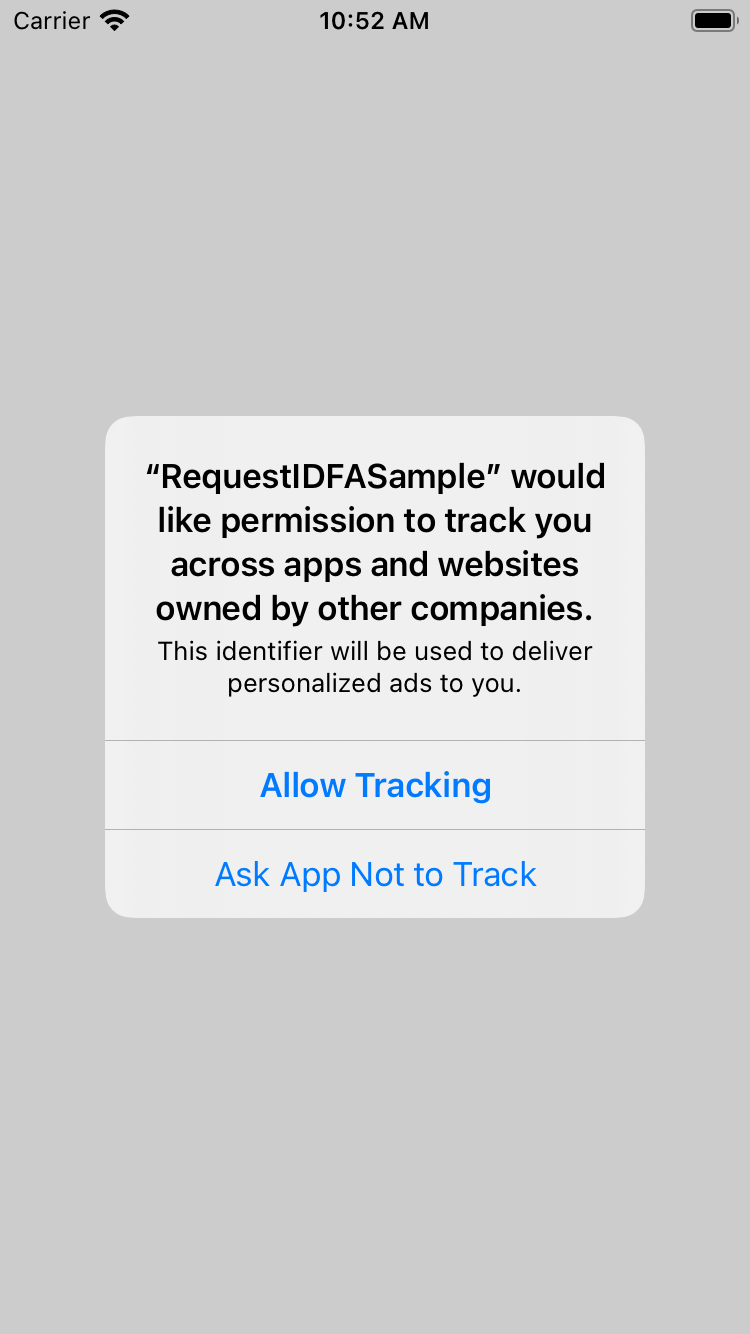
To present the authorization request, call requestTrackingAuthorizationWithCompletionHandler:. We recommend waiting for the completion callback prior to loading ads so that if the user grants the App Tracking Transparency permission, the Carty SDK can use the IDFA in ad requests.
if (@available(iOS 14, *))
{
    [ATTrackingManager requestTrackingAuthorizationWithCompletionHandler:^(ATTrackingManagerAuthorizationStatus status) {
    }];
}if #available(iOS 14, *)
{
ATTrackingManager.requestTrackingAuthorization(completionHandler: {status in
})
}For more information about the possible status values, see ATTrackingManager.AuthorizationStatus.